

Nullsaldo · For bars, cafés, restaurants and shops
Know every evening if the till adds up.
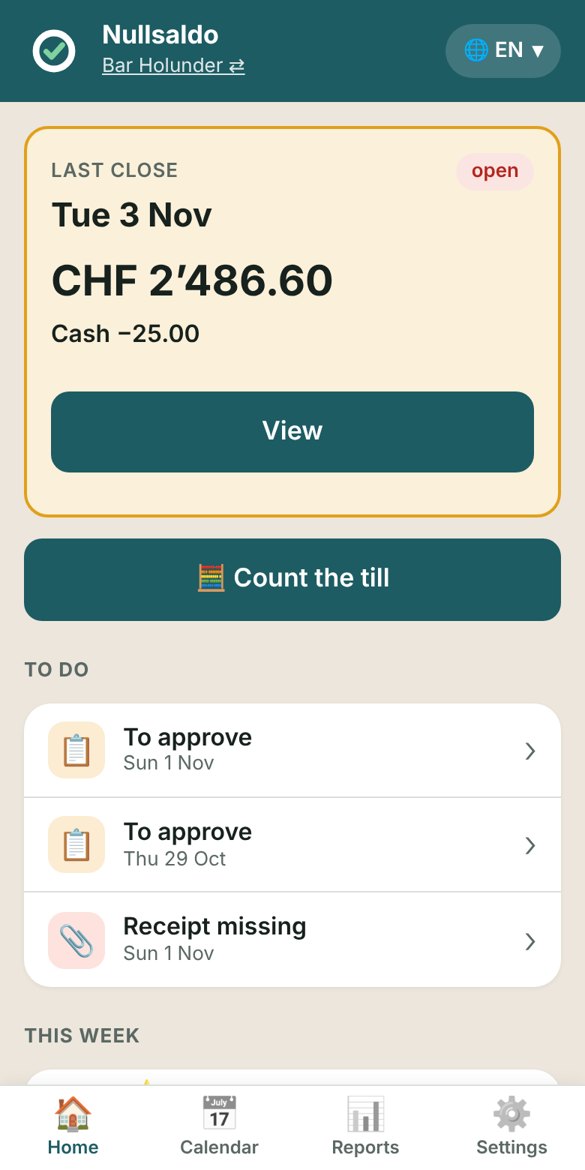
Your team counts the cash on their phone. Nullsaldo checks it against your POS, card and TWINT. You approve with one click, and the day is in bexio.
Pilot phase: the first month is free. We set everything up with you in person.
How it works
Three steps. The same every evening.
- 1
Count the till
The shift lead counts on a tablet or phone in the evening, step by step and in their own language. Expenses with a photo of the receipt.
- 2
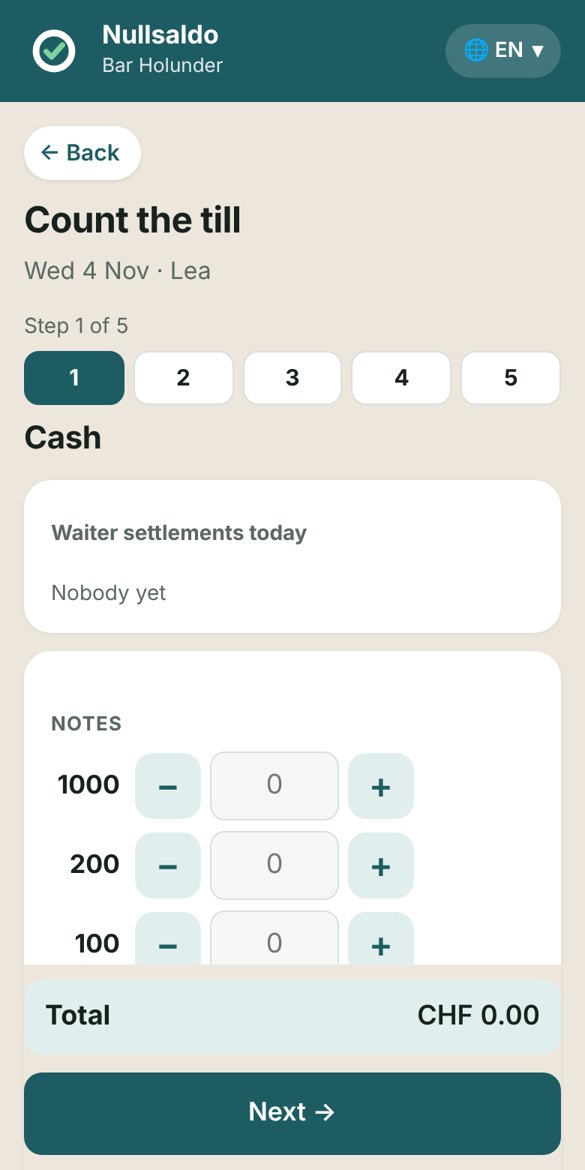
Nullsaldo checks
Cash, card and TWINT against the POS. If something is missing, you see right away how much, and a possible cause.
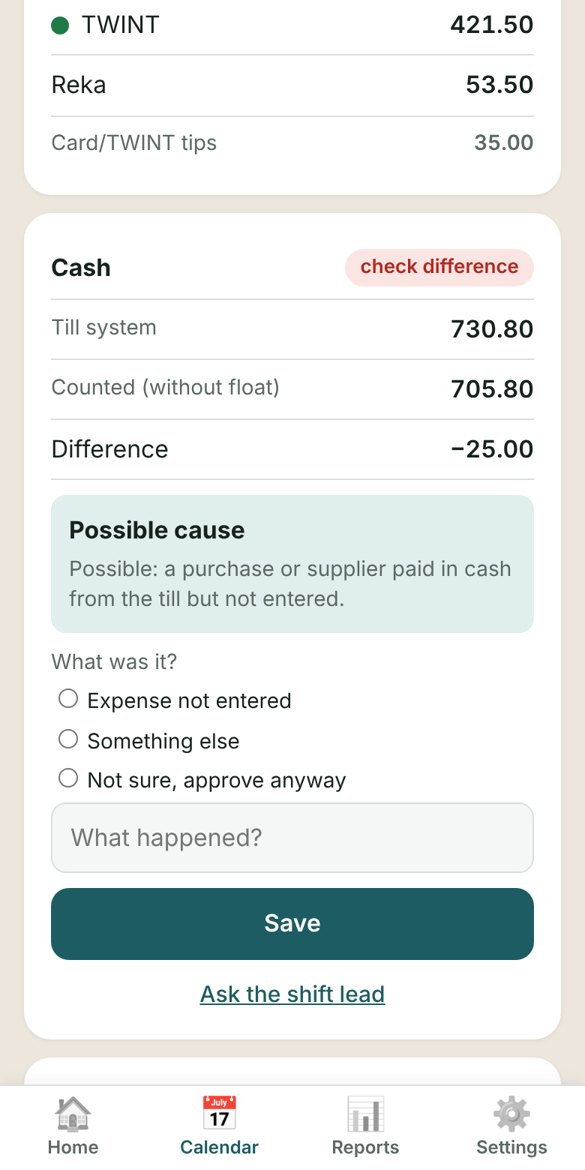
- 3
One click, booked
In the morning you review the day and click «Book in bexio». No more copying by hand.
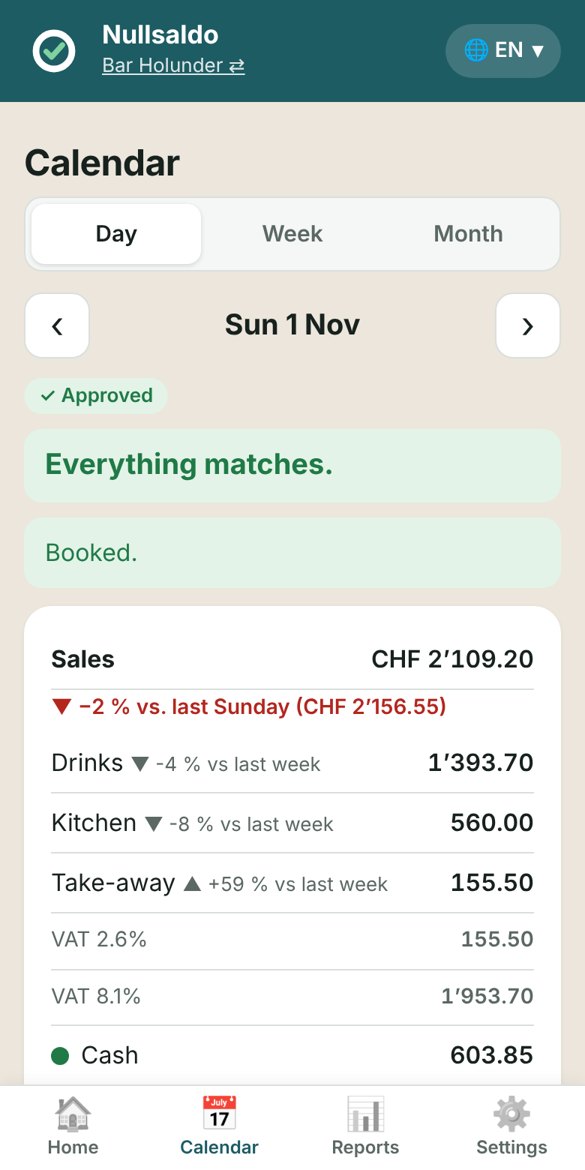
Seen in 30 seconds
Count, check, approve, the whole month and your accountant's view.
Or try it yourself
The real app with a sample business. Click through as owner, shift lead or accountant. Nothing is saved.
Open exampleEverything at a glance
For you, your manager and your accountant. Everyone sees only what they need.
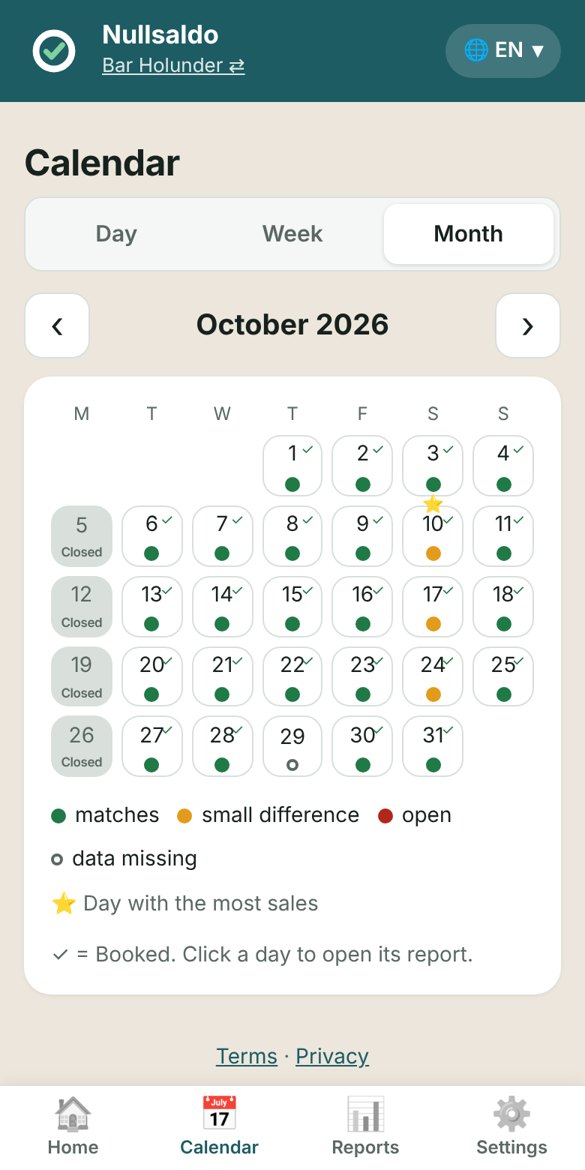
Calendar
Green is right, orange a small difference, red check it. One click opens the day.
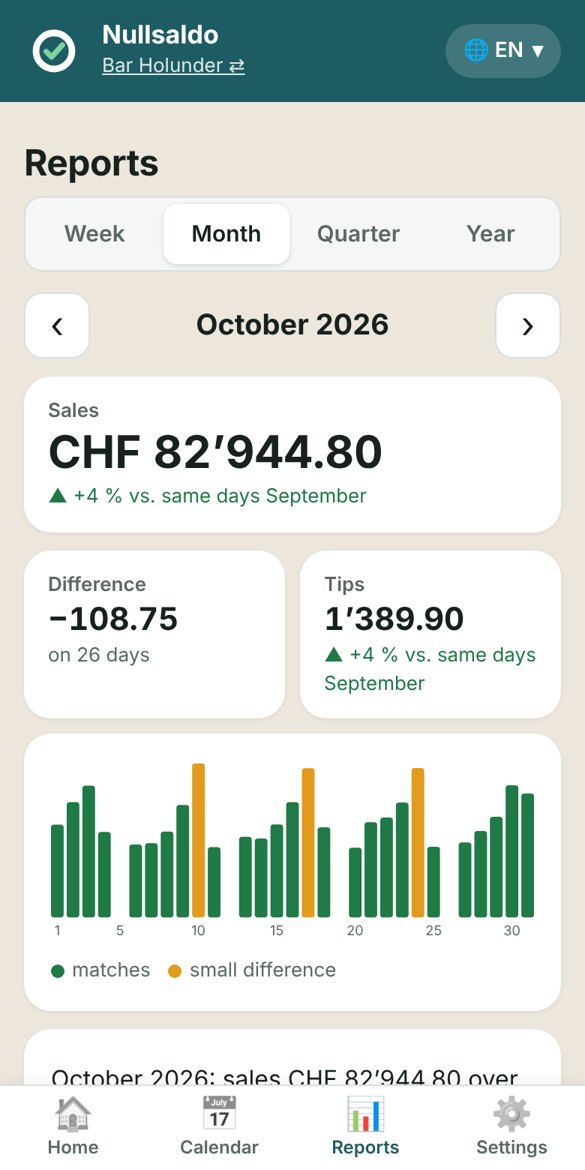
Reports
Week, month, quarter and year. Sales, differences, tips and VAT, compared with last year.
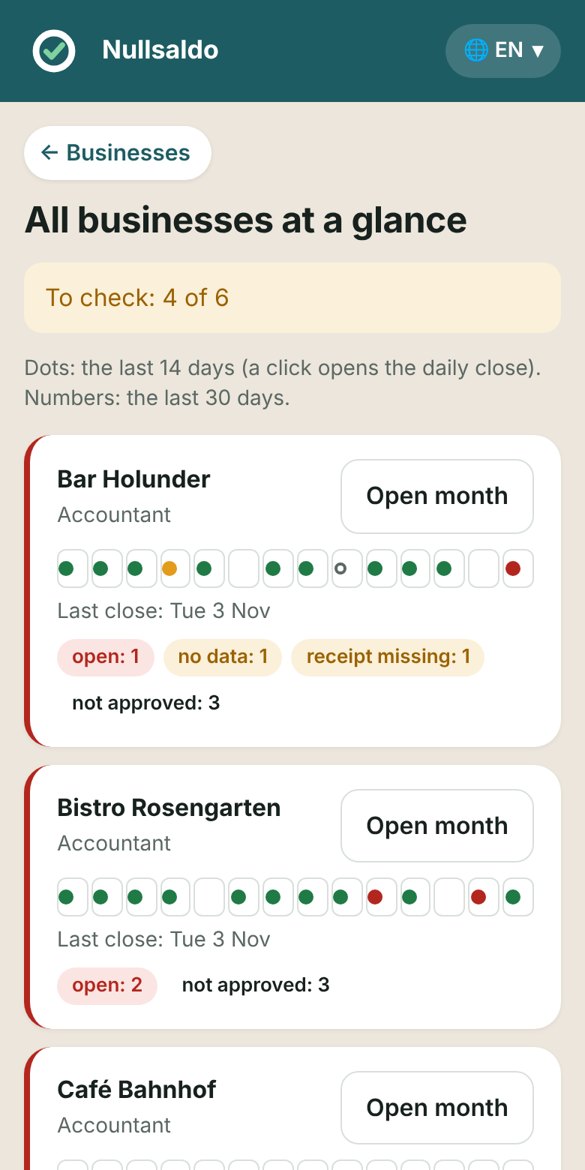
Accountant
All clients at a glance. Corrects before your OK and downloads the month.
Works with
Accounting · bexio, Banana, Abacus, AbaNinja
Payments and POS · SumUp, Payrexx, wallee, TWINT, Lightspeed
No connected POS? The shift lead enters the figures from the Z report, Nullsaldo checks that they add up.
Your data
Your data belongs to you. Nothing is used without telling you first.
Nothing without your OK
Only what you approve gets booked.
Six languages
Everyone counts in their own language.
Quick to set up
Six steps, or we come by.
We are looking for 5 pilot businesses
First month free, ends at no cost
We come by, set everything up and show your team
Book a free first callFrequently asked questions
Do I need to install anything?
No. Nullsaldo runs in the browser and can be added to the home screen of your phone or tablet like an app.
Do I need bexio?
No. With bexio, days are booked directly. With Banana or Abacus, your accountant gets a ready file every month.
What if the till doesn't add up?
You see right away where the difference is, and you can explain it, ask the shift lead or ignore it. A day with an open difference is not booked.
Does the staff see the expected amount?
No. The shift lead counts «blind». That keeps the count honest.
How long does it take to get started?
Usually one visit of about an hour. After that it runs every evening by itself.
How do I set up Nullsaldo?
Step by step in our guide, from sign-in to the first daily report. It usually takes less than an hour. If you prefer, we do it together with you.
Open the setup guide →Nullsaldo is a product of Alnerive.
Test Nullsaldo for a month
We are looking for 5 pilot businesses. Tell us about your business.
anna@alnerive.com+41 76 262 56 52Lorzenparkstrasse 25, 6330 ChamFollow us
Pick a time
Booking via Calendly. Privacy policy